
Shared House Wi-Fi Problems in the UK – Real Fixes That Actually Help
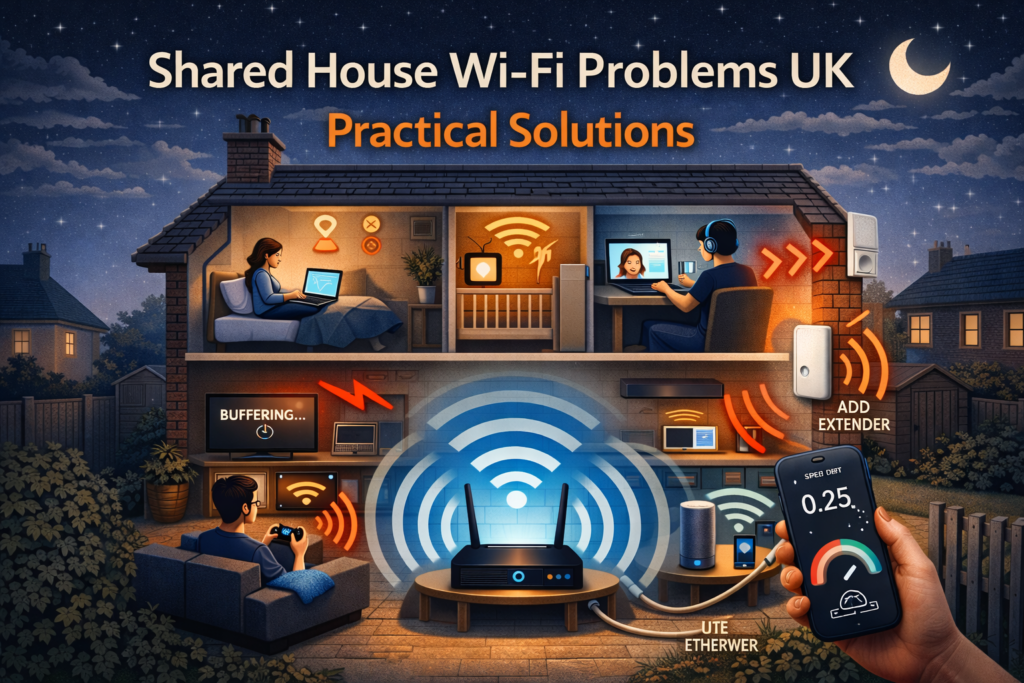
If you live in a shared house in the UK, chances are Wi-Fi has caused at least one argument. Someone’s video keeps buffering, another housemate swears the internet was “fine yesterday”, and your phone shows full signal but nothing loads. Unfortunately, shared house Wi-Fi problems UK are incredibly common — especially in rented properties, HMOs, and student houses. Peak-time drops make shared Wi-Fi worse. Check Internet Drops at Night – Causes & How to Fix.
If any of these sound familiar, you’re not alone:
- Wi-Fi is fast in one bedroom but useless in another
- Internet slows down badly in the evenings
- Video calls drop when others are streaming
- Someone downloads something and everyone else suffers
The good news? Most shared house Wi-Fi problems are fixable — once you understand what’s actually causing them.
This guide explains why Wi-Fi struggles in shared UK homes and gives practical solutions that work in real houses, not just on paper.
Why Shared House Wi-Fi Is So Bad in the UK
UK homes weren’t designed for modern internet usage. Many properties still cause Wi-Fi headaches because of:
- Thick brick or stone walls
- Old layouts with extensions and loft rooms
- Routers installed near phone sockets in bad locations
- Too many devices on one connection
Add 4–6 people living under one roof, and even “fast broadband” can feel painfully slow.
Why Shared House Wi-Fi Problems UK – Are So Common
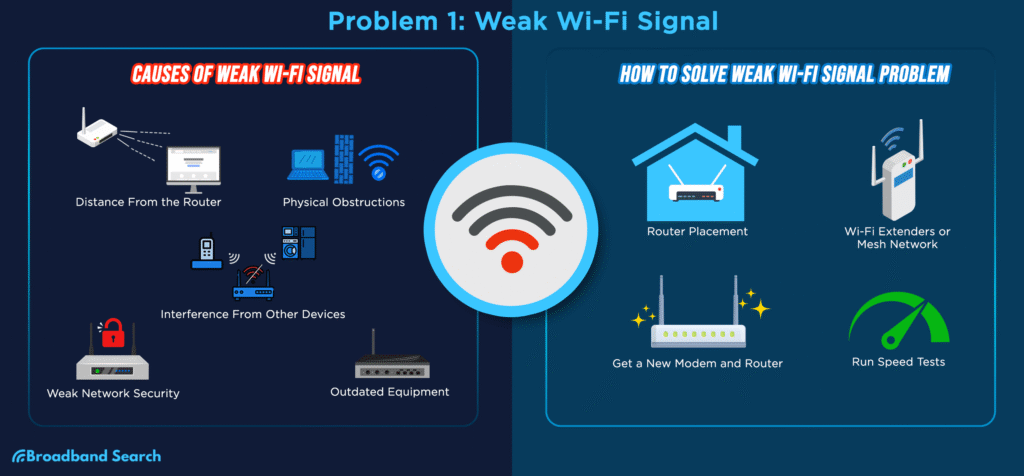
There are a few reasons why shared house Wi-Fi problems UK are worse than people expect.
UK homes are often built with thick brick or stone walls, which block Wi-Fi signals far more than modern lightweight materials. On top of that, routers in shared houses are usually placed wherever the phone line is installed, not where Wi-Fi works best.
Too Many People, Too Many Devices
In a shared house, each person often has:
- A phone
- A laptop or PC
- A smart TV
- Gaming consoles
- Smart speakers
Ten to twenty devices on one basic router is extremely common — and most ISP-provided routers are not designed for that.
Poor Router Placement
In many shared houses, the router is:
- Near the front door
- In a hallway
- Under the stairs
- In a landlord-chosen location
This means Wi-Fi has to travel through multiple brick walls, floors, and doors before reaching bedrooms.
Bad placement alone can cause half of all shared house Wi-Fi problems.
Thick Walls and Multiple Floors
UK houses often have:
- Solid brick walls
- Thick internal walls
- Two or three floors
Wi-Fi struggles to pass through these materials, especially on 5GHz.
Evening Congestion
Shared house Wi-Fi problems get worse at night because:
- Everyone is home
- Streaming starts
- Gaming begins
- Video calls overlap
Even fast broadband can feel slow when bandwidth is being shared poorly. Even with strong signals, internet can be slow. Read Strong Wi-Fi Signal but Internet Is Slow – Explained.
Common Wi-Fi Complaints in Shared Houses
- “Wi-Fi works downstairs but not upstairs”
- “My room never gets signal”
- “It’s fast on my phone but slow on my laptop”
- “Internet dies every evening”
- “Someone is always hogging the Wi-Fi”
These aren’t random problems — they have clear technical reasons.
Practical Tips & Solutions -Shared House Wi-Fi Problems UK
Improve Router Placement First
Most shared houses place the router wherever the engineer installs it — usually near the front door or living room socket. That’s rarely ideal.
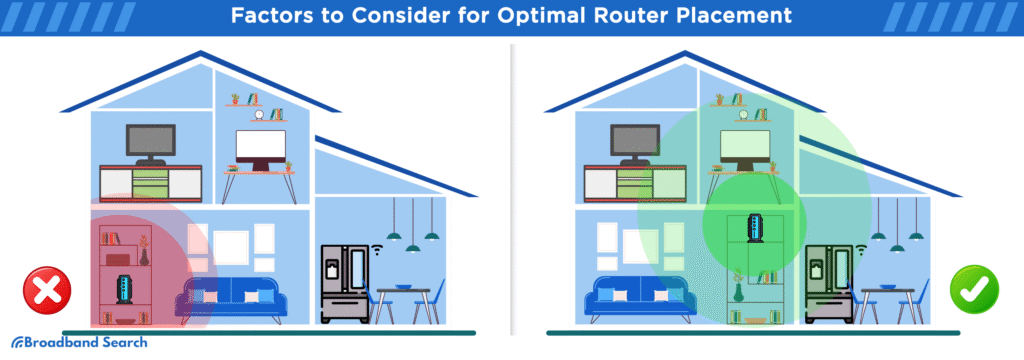
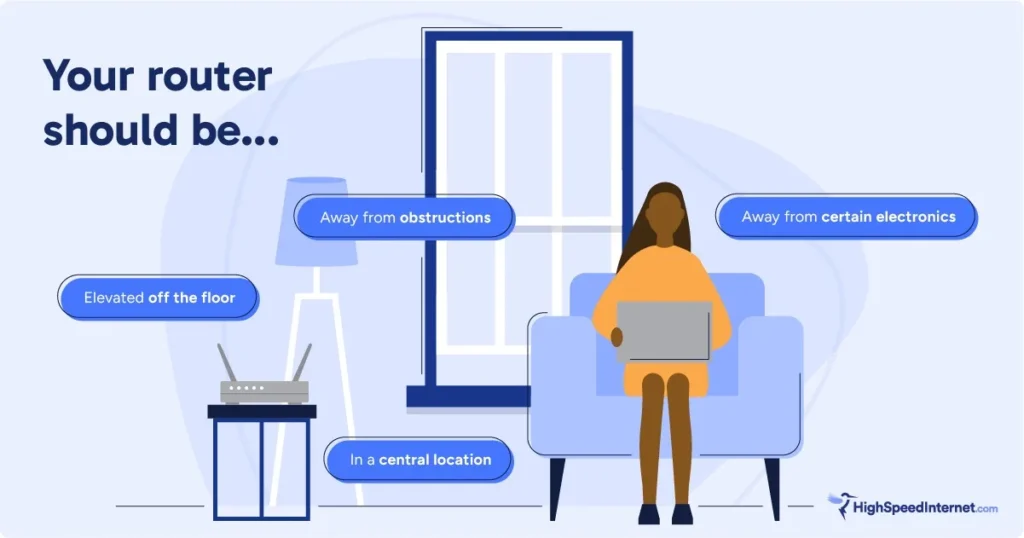
Best router placement in a shared house:
- Place the router centrally, not in a corner
- Keep it elevated (on a shelf, not the floor)
- Avoid cupboards, TV cabinets, or behind sofas
- Keep it away from microwaves and cordless phones
If bedrooms are upstairs, placing the router slightly higher helps coverage.
📌 Even moving a router a few metres can improve Wi-Fi for everyone.
For a detailed explanation of router positioning, Ofcom has useful guidance here. Speed tests don’t always match browsing. Learn more in Internet Speed Test Shows Fast but Browsing Is Slow – Fixes.
Separate 2.4GHz and 5GHz Networks
Most routers combine both bands automatically, which causes problems in shared houses.
Better approach:
- Use 5GHz for nearby rooms (faster, shorter range)
- Use 2.4GHz for distant bedrooms (slower, better penetration)
This alone can reduce shared house Wi-Fi problems significantly.
Use Wi-Fi Extenders Properly
Wi-Fi extenders can help — but only if used correctly.
Common mistake:
Placing an extender in a room with no signal.
Correct placement:
- Halfway between router and weak area
- Where Wi-Fi is still strong
Check our Wi-Fi Router guide for recommended models in UK homes. Use a Wi-Fi Extender to boost coverage in larger flats or multi-storey homes.
For more tips on extending coverage and fixing weak signals in specific rooms, see our Wi-Fi Works in One Room Only – Causes & Fixes blog.
Mesh Wi-Fi Is the Best Long-Term Solution
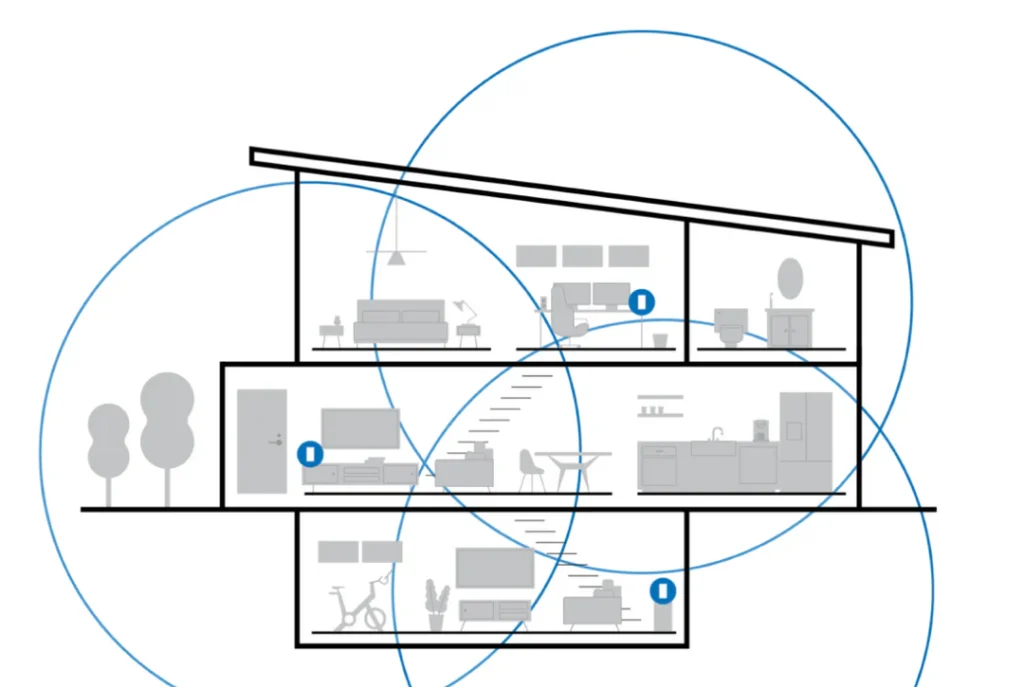
For medium to large shared houses, mesh Wi-Fi is usually the best fix.
Mesh systems:
- Use multiple access points
- Share the load between devices
- Reduce dead zones
- Handle many users better
Instead of pushing one signal through walls and floors, mesh Wi-Fi brings the signal closer to each bedroom.
This is ideal for HMOs and larger shared properties.
Which? explains mesh Wi-Fi systems in plain English here.
Limit Bandwidth Hogs
In shared houses, one person can ruin Wi-Fi for everyone.
Common bandwidth hogs:
- 4K streaming
- Game downloads
- Cloud backups
- Torrents
If your router supports it, enable Quality of Service (QoS):
- Prioritise video calls
- Prevent one device from using everything
This makes Wi-Fi feel fairer for everyone.
Use Ethernet Where Possible
Wired connections reduce Wi-Fi strain.
Good uses for Ethernet:
- Gaming PCs
- Desktop computers
- Smart TVs near the router
Every wired device = one less Wi-Fi device fighting for airtime.
Broadband Genie explains the difference clearly here.
Upgrade the Router (ISP Routers Are Weak)
Most UK ISP routers are basic.
They struggle with:
- Many devices
- Shared houses
- Multiple floors
Upgrading to a better router or mesh system can dramatically reduce shared house Wi-Fi problems UK without changing broadband providers.
Agree House Rules for Internet Usage
This sounds non-technical, but it matters.
Examples:
- Large downloads overnight
- Streaming limits during work hours
- No router resets without asking
Clear rules prevent unnecessary conflict — and Wi-Fi chaos.
Student Houses vs Professional Shared Houses
Student Houses
- Heavy evening usage
- Gaming and streaming
- Often cheaper routers
Mesh Wi-Fi or extenders usually help the most.
Professional Shared Houses
- Video calls
- Remote work
- Daytime congestion
QoS, better routers, and wired connections are key.
When Shared House Wi-Fi Problems Aren’t Fixable
Sometimes, the issue isn’t the setup.
Unfixable situations include:
- Landlord refuses equipment changes
- Router locked by ISP
- Extremely poor internal wiring
In these cases, alternatives include:
- Personal 4G/5G backup
- Powerline adapters (if wiring allows)
FAQ – Shared House Wi-Fi Problems UK
Why is Wi-Fi so bad in shared houses?
Because many people share one router, often poorly placed, in buildings with thick walls and multiple floors.
Is faster broadband the solution?
Not usually. Most shared house Wi-Fi problems are internal network issues, not speed issues.
Do Wi-Fi extenders work in shared houses?
They can help small areas, but mesh Wi-Fi is more reliable for larger homes.
Who should pay for better Wi-Fi in a shared house?
Ideally, costs should be split between tenants, as everyone benefits.
Is mesh Wi-Fi worth it for renters?
Yes. Mesh systems are portable and can be taken to your next home.
Final Thoughts
Shared house Wi-Fi problems UK are incredibly common — but they’re rarely mysterious. They’re usually caused by poor router placement, too many devices, thick walls, and outdated equipment.
Fixing Wi-Fi in a shared house isn’t about blaming the provider. It’s about designing coverage for real-world usage.
With the right setup, shared Wi-Fi can actually work — even in busy UK homes.
Enjoyed our Wi-Fi guides? Share your experience on Trustpilot — we’d love to hear from you!
Pingback: 7 Best Budget Wi-Fi Extenders UK (2026) – Affordable Wi-Fi Boosters
Pingback: Netflix Keeps Buffering on Smart TV UK? 9 Proven Fixes