Fire Stick vs Chromecast vs Roku UK (2026 Guide)
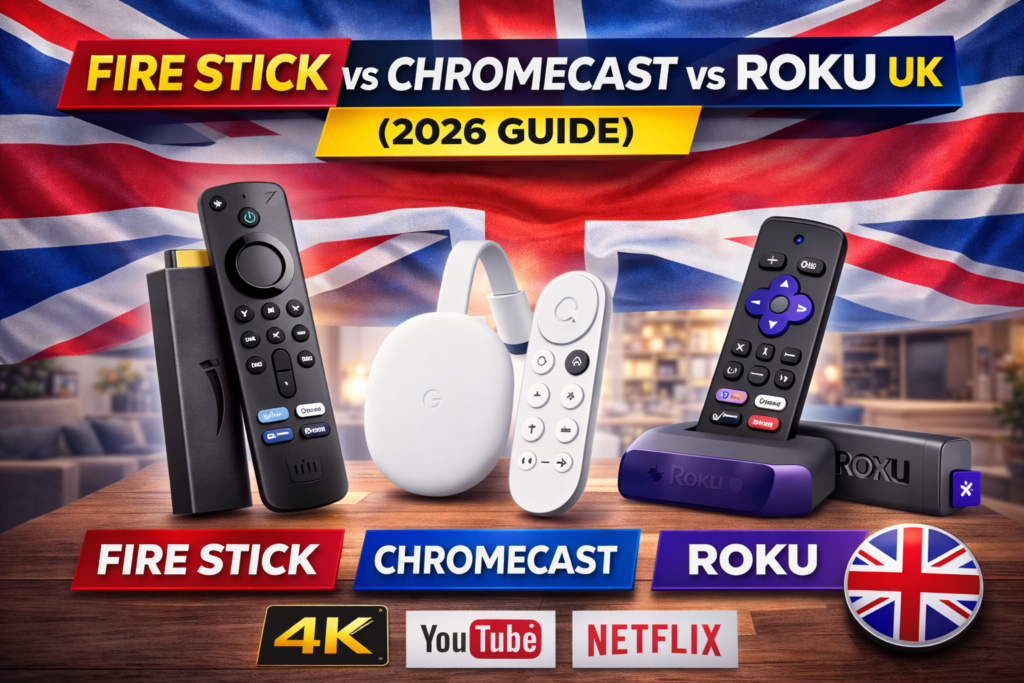
Choosing the right streaming device in the UK can feel confusing. You search for something simple — “best streaming device” — and suddenly you’re comparing Amazon Fire Stick vs Chromecast vs Roku UK, all promising 4K streaming, Dolby Atmos, and thousands of apps.
But which one actually works best in UK homes?
Which supports BBC iPlayer properly?
Which works smoothly with your broadband speed?
And which one gives the least trouble with HDMI or WiFi issues?
In this complete Fire Stick vs Chromecast vs Roku UK comparison guide, we’ll break down the features, performance, price, and common problems to help you choose the best streaming device for your home.
If you’re new to streaming devices, you may want to first read our main TV & Streaming pillar guide here:
👉 Internal link: TV & Streaming Problems & Fixes (UK Complete Guide)
Overview of Each Streaming Device – Fire Stick vs Chromecast vs Roku UK
🔥 Amazon Fire TV Stick (UK)
Amazon’s Amazon Fire TV Stick is one of the most popular streaming devices in the UK. It plugs directly into your TV’s HDMI port and runs on Amazon’s Fire OS.
Best For:
- Prime Video users
- Alexa smart home users
- Budget buyers
Key Features:
- 4K Ultra HD (on 4K models)
- Alexa Voice Remote
- Access to UK apps like BBC iPlayer, ITVX, Channel 4, My5
- Dolby Atmos (on supported models)
📺 Google Chromecast (With Google TV)
Google’s Chromecast with Google TV is more personalised and content-focused.
Best For:
- Android users
- YouTube users
- Google Assistant homes
Key Features:
- Clean interface
- Strong YouTube integration
- Google Assistant voice control
- 4K HDR support
🎬 Roku (Express / 4K)
Roku’s Roku Express and Roku Express 4K are known for simplicity.
Best For:
- Non-tech users
- Straightforward interface lovers
- Older smart TVs
Key Features:
- Simple layout
- UK catch-up apps
- Budget-friendly models
App Support in the UK (Very Important!)
In the UK, streaming isn’t just Netflix. It’s:
- BBC iPlayer
- ITV ITVX
- Channel 4 Channel 4
- My5
- Netflix
- Disney+
- Prime Video
All three devices support major UK apps, but:
- Fire Stick promotes Prime Video heavily.
- Chromecast promotes YouTube and Google services.
- Roku gives a neutral layout.
If Netflix keeps buffering, check our full fix guide:
👉 Internal link: Netflix Keeps Buffering on Smart TV (UK Causes & Solutions)
Official support pages:
- Netflix Help Centre – https://help.netflix.com
- BBC iPlayer Support – https://www.bbc.co.uk/iplayer/help
Common Problems & Solutions (UK Homes)
Now let’s get practical.
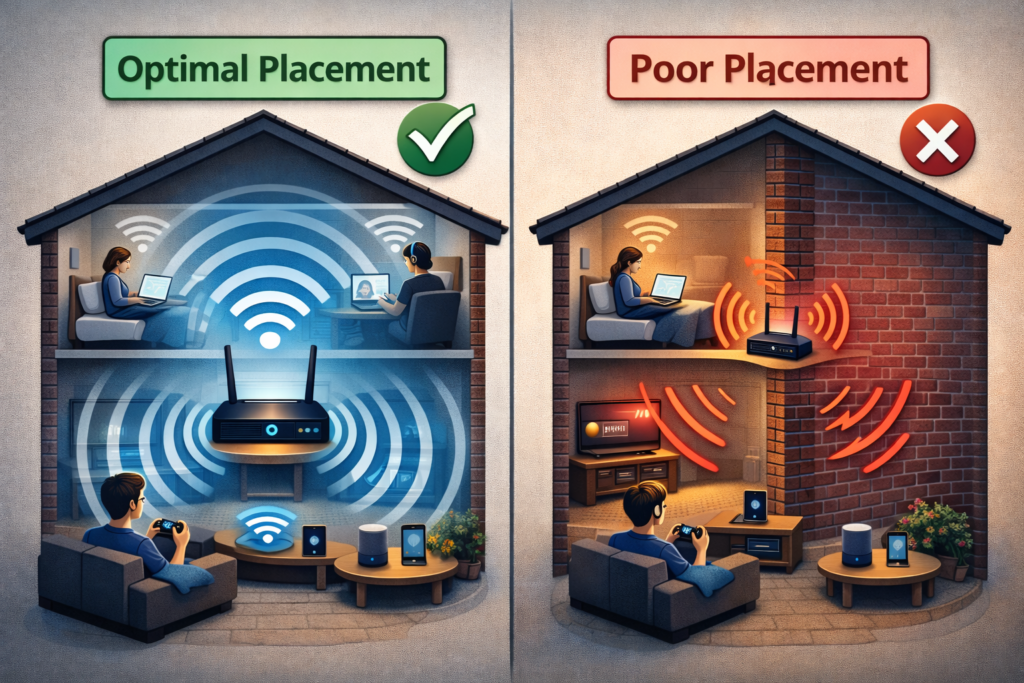
Problem 1: WiFi Signal Weak Upstairs
This affects all three devices equally.
If your router is downstairs and TV is upstairs, you may get:
- Buffering
- Low quality streaming
- Disconnections
Fix:
- Move router centrally
- Use 5GHz WiFi
- Consider WiFi extender
👉 Full guide here:
Internal link: WiFi Signal Weak Near TV or Upstairs (UK Home Fixes)
You can also check broadband speed via:
https://www.speedtest.net
Minimum recommended:
- HD: 5–10 Mbps
- 4K: 25 Mbps
Problem 2: HDMI ARC Not Working
If you connect a streaming device and your soundbar stops working, HDMI ARC might be misconfigured.
Common with:
- Samsung TVs
- LG TVs
- Sony TVs
Fix:
- Enable HDMI-CEC
- Enable ARC in sound settings
- Use certified HDMI 2.0 cable
👉 Detailed guide:
Internal link: HDMI ARC Not Working on Smart TV (UK Brands Explained)

Problem 3: Soundbar Not Connecting
Bluetooth drops frequently with streaming devices.
Fix:
- Use HDMI ARC instead of Bluetooth
- Reset soundbar
- Disable TV speakers
👉 Full troubleshooting:
Internal link: Soundbar Not Connecting to TV (Bluetooth & HDMI Fixes)
Problem 4: Fire Stick Freezing or Lagging
Common with older Fire Sticks.
Fix:
- Clear cache
- Restart device
- Disable background apps
- Check for system updates
Settings → My Fire TV → Restart
Problem 5: Chromecast Not Casting Properly
Sometimes your phone can’t find Chromecast.
Fix:
- Ensure same WiFi network
- Restart router
- Update Google Home app
- Reset Chromecast
Problem 6: Roku Remote Not Working
Roku remotes can disconnect.
Fix:
- Replace batteries
- Re-pair remote
- Power cycle Roku
Performance Comparison (Real-World UK Use)
When comparing Fire Stick vs Chromecast vs Roku UK, the biggest differences come down to interface design, voice assistant support, and ecosystem compatibility.
Speed & Interface
- Fire Stick: Fast, but ad-heavy interface.
- Chromecast: Clean and personalised.
- Roku: Very simple, fastest for older users.
Voice Control
- Fire Stick: Alexa
- Chromecast: Google Assistant
- Roku: Basic voice (limited compared to others)
If you use smart speakers:
- Alexa home → Fire Stick
- Google Nest → Chromecast
4K Streaming & Picture Quality
All three offer 4K models.
To benefit from 4K:
- You need 4K TV
- 25 Mbps broadband
- HDMI 2.0 cable
- 4K subscription plan (Netflix Premium etc.)
Check Netflix plan details here:
https://help.netflix.com/en/node/24926
Price Comparison (UK Market)
Typical UK pricing:
- Fire Stick HD – Budget
- Fire Stick 4K – Mid range
- Chromecast HD – Slightly higher
- Roku Express – Cheapest
- Roku 4K – Competitive
Amazon often discounts Fire Stick during Prime Day.
Which Device Is Best for You?
If you’re still unsure after comparing Fire Stick vs Chromecast vs Roku UK, think about which ecosystem you already use daily. Amazon users may prefer Fire Stick, Android users often lean towards Chromecast, and those who want a simple interface usually choose Roku.
Choose Fire Stick If:
- You use Prime Video
- You want Alexa
- You want frequent discounts
Choose Chromecast If:
- You use Android
- You watch lots of YouTube
- You want content recommendations
Choose Roku If:
- You want simplicity
- You don’t want ads everywhere
- You prefer neutral layout
🚨 When It’s Not the Device at All
Sometimes users blame Fire Stick or Chromecast, but the real issue is:
- Old broadband package
- Overloaded router
- ISP throttling
- Outdated firmware
If streaming buffers across multiple apps like:
- Netflix
- Disney+
- BBC iPlayer
Then it’s very likely your broadband, not the streaming device.
When You Don’t Need Any of These
If you already own a modern smart TV from:
- Samsung
- LG
- Sony
You may not need a streaming device at all.
But if your TV is slow or apps crash, a streaming stick often improves performance.
If your smart TV won’t connect to WiFi:
👉 Internal link: Smart TV Not Connecting to WiFi (UK Troubleshooting Guide)
Security & Privacy
Fire Stick and Chromecast collect usage data for recommendations.
Roku is considered simpler but still tracks viewing patterns.
Always:
- Enable two-factor authentication
- Avoid public WiFi
- Update firmware regularly
Internet Speed Requirements & Bandwidth Tips for UK Homes
One of the biggest mistakes people make when comparing Fire Stick, Chromecast, and Roku in the UK is focusing only on the device — not their broadband connection.
Even the best streaming device will struggle if your internet speed isn’t stable.
📶 How Much Speed Do You Actually Need?
For smooth streaming in UK households:
- SD Streaming: 3–5 Mbps
- HD Streaming: 5–10 Mbps
- 4K Ultra HD: Minimum 25 Mbps
- Multiple Devices Streaming: 50+ Mbps recommended
You can check your speed using:
https://www.speedtest.net
If your result is below 25 Mbps and you’re trying to stream 4K Netflix on Fire Stick or Chromecast, buffering is almost guaranteed.
🏠 Common UK Broadband Issues That Affect Streaming
1️⃣ Evening Slowdowns
Many UK households experience slower speeds between 6pm–10pm due to network congestion.
2️⃣ Router Placement Problems
If your router is:
- Behind the TV
- Inside a cupboard
- Near thick brick walls
Your streaming device may struggle.
🔌 Should You Use Ethernet Instead?
If your Fire Stick or Chromecast keeps buffering:
- Use an Ethernet adapter (available for Fire Stick and Chromecast)
- Plug directly into router
- Avoid WiFi dropouts completely
Roku 4K models also support Ethernet via adapter.
Wired connection = more stable streaming.
Final Thoughts
After reviewing this Fire Stick vs Chromecast vs Roku UK guide, you should now have a clear idea which streaming device fits your needs and broadband setup.
In the UK market:
- Best Overall: Fire Stick 4K
- Best for Android Homes: Chromecast
- Best for Simplicity: Roku
There is no perfect device — only the one that fits your home setup.
Before buying, check:
- Your WiFi strength
- HDMI ports
- Soundbar compatibility
- Broadband speed
- Which streaming apps you use daily
If you’re still comparing devices, I recommend reading our complete pillar resource:
👉 Internal link: TV & Streaming Problems & Fixes (UK Complete Guide)
It covers:
- WiFi fixes
- HDMI issues
- Buffering problems
- Soundbar troubleshooting
- Smart TV errors
Enjoyed our TV & Streaming Problems guides? Share your experience on Trustpilot — we’d love to hear from you!