
Best Budget Wi-Fi Extenders UK (Top Picks – 2026)
Weak Wi-Fi can be frustrating — especially when certain rooms in your home become dead zones for streaming, gaming, or video calls. The good news is that fixing poor coverage doesn’t always mean upgrading your internet plan or buying an expensive mesh system.
In this guide, we’ve hand-picked the best budget Wi-Fi extenders UK users can buy right now. These affordable devices help extend your existing Wi-Fi signal, reduce dropouts, and improve overall coverage without breaking the bank. If your internet speed is already decent but coverage is the issue, a Wi-Fi extender is often the most cost-effective solution. If you’re still choosing the right router, check our guide on best budget Wi-Fi routers guides for a stronger base signal.

🔎 What to Expect in This Blog
This guide is designed to make choosing the best budget Wi-Fi extenders UK simple and stress-free. Instead of technical jargon, you’ll find clear explanations and practical advice based on real-world use.
Inside this blog, you’ll get:
- A side-by-side comparison table highlighting key features and coverage
- Individual reviews explaining why each extender is worth buying
- Honest pros and cons to help you avoid poor choices
- Tips on what to look for before buying, especially for UK homes
- Direct links to Amazon UK so you can check the latest prices
By the end, you’ll know exactly which Wi-Fi extender suits your space, budget, and usage — without overspending.
For more tips on extending coverage and fixing weak signals in specific rooms, see our Wi-Fi Works in One Room Only – Causes & Fixes blog.
🧠 What Is a Wi‑Fi Extender — and Do You Need One?
A Wi‑Fi extender (also called a range extender or repeater) is a device that takes your existing home Wi‑Fi signal and rebroadcasts it into areas with weak or no coverage. Think of it as giving your router a boost into those hard‑to‑reach rooms.
Pros:
- Very affordable compared to a new router or mesh system
- Simple plug‑in setup
- Works with virtually any router
Cons:
- Wireless speed can be slower than the main router
- Coverage improvements vary depending on placement and walls/obstacles
Tip: For larger homes or whole‑home coverage, a mesh system might eventually be better — but for most flats or smaller houses, a good extender fixes the problem affordably.
🏆 Comparison Table: Best Budget Wi-Fi Extenders UK
| Device | Max Speed | Bands | Coverage | Compatibility |
|---|---|---|---|---|
| TP‑Link RE300 AC1200 | Up to 1200 Mbps | Dual‑Band (2.4 + 5 GHz) | ~Medium | Most Routers (OneMesh compatible) |
| NETGEAR AC750 Wi‑Fi Range Extender (EX3110) | Up to 750 Mbps | Dual‑Band (2.4 + 5 GHz) | ~Small to Medium Spaces | Any Wi‑Fi Router (802.11ac/n) |
| TP‑Link RE550 AC1900 | Up to 1900 Mbps | Dual‑Band (2.4 + 5 GHz) | ~Large | Most Routers (OneMesh compatible) |
| D‑Link AX1500 Mesh Range Extender | Up to 1500 Mbps (Wi‑Fi 6) | Dual‑Band (2.4 + 5 GHz) | ~Medium Homes | Works with most routers; best with D‑Link Eagle Pro AI Mesh |
| Linksys Velop Micro Mesh WiFi 6 Add‑on Node | Wi‑Fi 6 Mesh (speeds depend on base system) | Dual‑Band (2.4 + 5 GHz) | Whole‑Home Mesh | Linksys Velop Mesh Ecosystem |
| ASUS RP‑AX58 Wi‑Fi 6 Extender | Up to AX3000 (theoretical) | Dual‑Band (2.4 + 5 GHz) | (2.4 + 5 GHz) ~Medium to Large | Most routers (best with ASUS AiMesh) |
| eero 6 Mesh Wi‑Fi Extender | Wi‑Fi 6 Mesh (varies by node count) | Dual‑Band | Whole‑Home Mesh | Eero Mesh System |
📝 Individual Reviews
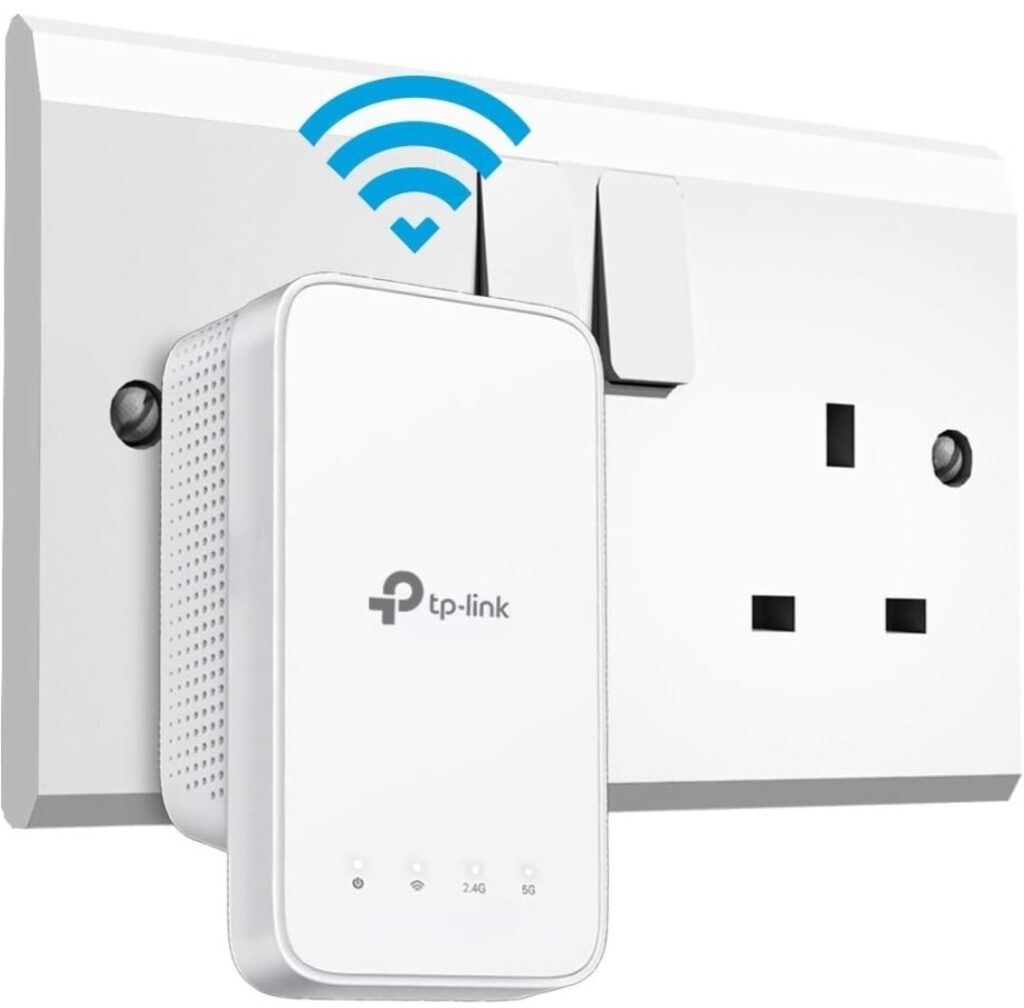
⚡ TP‑Link RE300 AC1200 Wi‑Fi Extender
Key Features:
- Dual‑band AC1200 (300 Mbps + 867 Mbps).
- Mesh‑ready with OneMesh/EasyMesh support.
- Compact wall‑plug design.
Why it’s worth buying:
A very well‑balanced extender in this price segment — it’s more powerful than AC750 models, and OneMesh gives it added flexibility to work in unified network setups.
Best For:
Everyday internet use, medium homes or flats.
Pros:
✔ Better speed than AC750 models
✔ OneMesh support for TP-Link routers
✔ Compact and affordable
Cons:
✘ No wired Ethernet
✘ Not AC1900/Wi-Fi 6
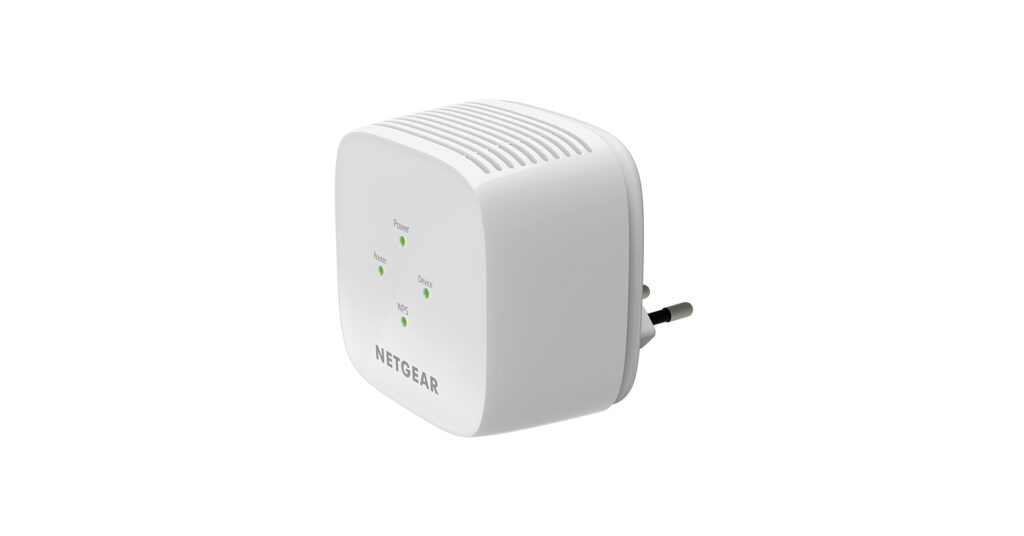
🔌 Netgear EX3110 AC750 WiFi Range Extender
Key Features:
- 💸 Approx £29.99 UK price
- Dual‑band Wi‑Fi up to 750 Mbps
- Plug‑in wall design with WPS one‑button setup
- Works with any Wi‑Fi router (802.11ac/n/b/g)
Why it’s worth buying:
A classic budget choice for small to medium homes — boosts weak signals affordably without complicated setup.
Best For:
Flats, single rooms, casual streaming and browsing.
Pros:
✔ Affordable
✔ Compatible with most routers
✔ Dual-band reduces interference
Cons:
✘ Lower speed vs AC1200/AC1900 extenders
✘ No Ethernet port
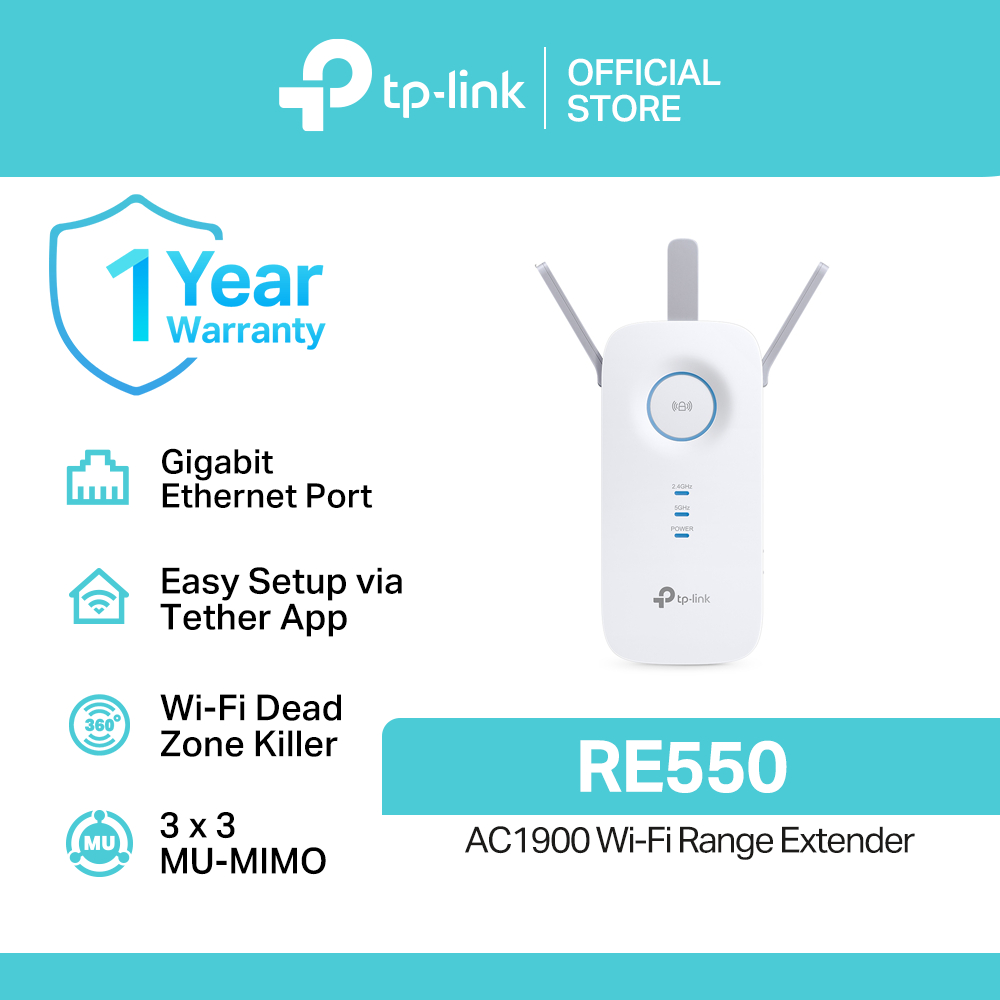
📡TP‑Link RE550 AC1900 Wi‑Fi Extender
Key Features:
- AC1900 (600 Mbps + 1300 Mbps) for stronger throughput.
- OneMesh/EasyMesh for unified network names.
- Gigabit Ethernet port for wired devices.
Why it’s worth buying:
Great balance of performance and price — stronger than many entry‑level models yet not as costly as top‑end Wi‑Fi 6 units. Perfect if you want wired connectivity and fast dual‑band coverage.
Best For:
Larger homes, busy households and streaming/gaming.
Pros:
✔ High throughput for price
✔ Wired Ethernet adds flexibility
✔ OneMesh for unified network
Cons:
✘ Slightly larger footprint
✘ Not Wi-Fi 6
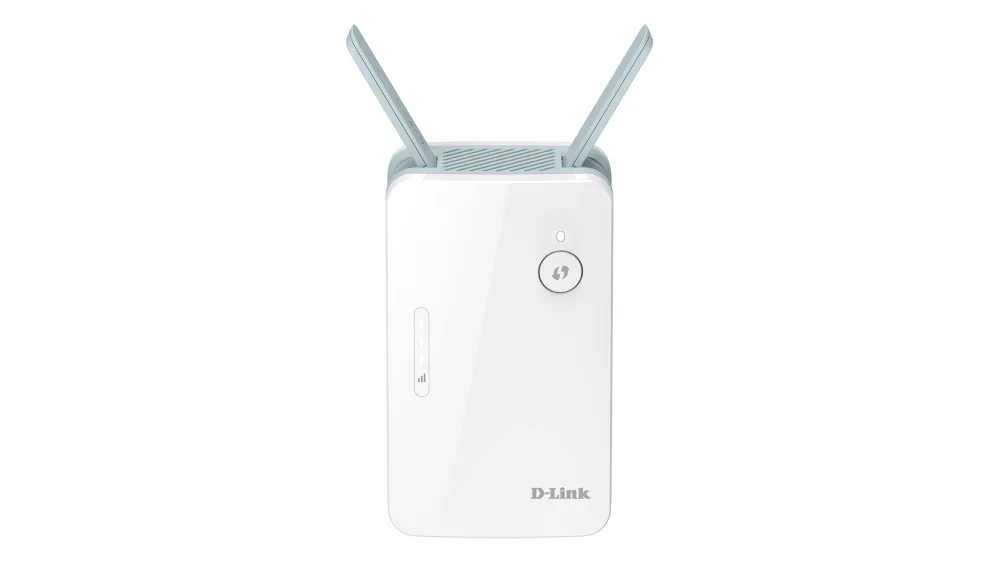
📶 D‑Link AX1500 Mesh Range Extender
Key Features:
- 💸 £25–£38 from UK sellers
- Wi‑Fi 6 (AX1500) dual-band speeds
- Gigabit Ethernet for wired devices
- Mesh-ready with D‑Link Eagle Pro AI
Why it’s worth buying:
One of the few D‑Link Wi‑Fi 6 extenders readily available in the UK, with wired and mesh support.
Best For:
Multi-device households, HD/4K streaming.
Pros:
✔ Wi‑Fi 6 improves capacity and reliability
✔ Ethernet port adds flexibility
✔ Works with most routers
Cons:
✘ Limited Amazon UK availability
✘ Mid-range performance
🟢 Linksys Velop Micro Mesh WiFi 6 Add‑on Node
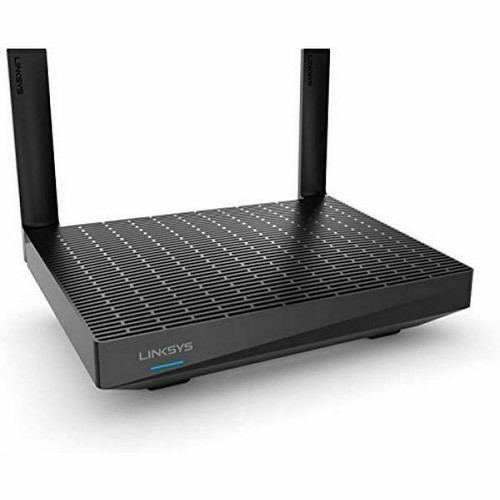
Key Features:
- 💸 ~£68.64 on Amazon UK
- Wi‑Fi 6 mesh node for seamless roaming
- Integrates with Linksys Velop system
Why it’s worth buying:
Adds continuous coverage without separate SSIDs, unlike traditional extenders.
Best For:
Larger homes or open-plan spaces
Pros:
✔ Seamless mesh experience
✔ Easy setup via Linksys app
✔ Wi‑Fi 6 efficiency
Cons:
✘ Requires Velop base unit
✘ No Ethernet port
📈 ASUS RP‑AX58 WiFi Range Extender
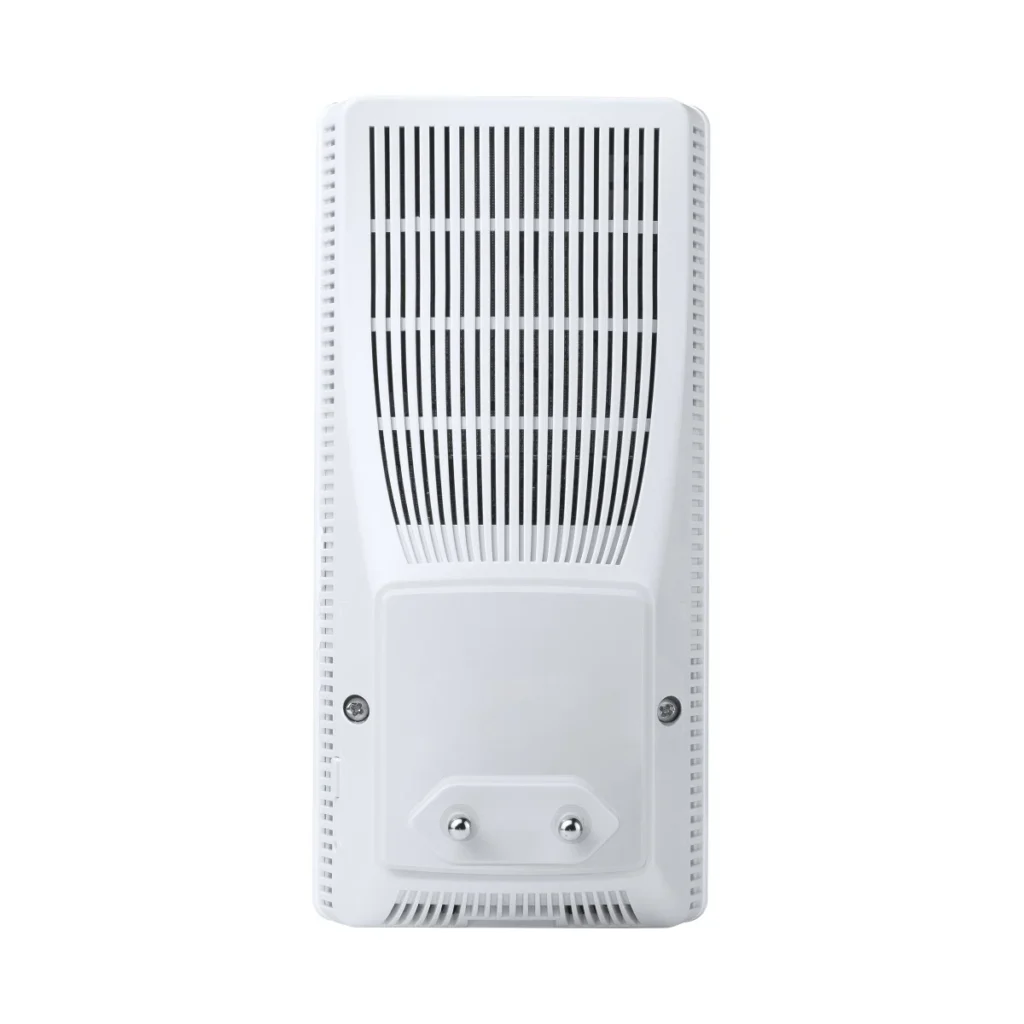
Key Features:
- 💸 £73–£76 on Amazon UK
- Wi‑Fi 6 (AX3000) dual-band
- Gigabit Ethernet port
- AiMesh support
Why it’s worth buying:
Blends Wi‑Fi 6 speed and mesh compatibility for streaming, gaming, and busy networks.
Best For:
Mid-range homes, multiple devices
Pros:
✔ High-speed Wi‑Fi 6
✔ Ethernet port for wired devices
✔ AiMesh integration
Cons:
✘ Pricier than entry-level extenders
✘ Full mesh benefits require ASUS router
🌐 eero 6 Mesh Wi‑Fi Extender (Mesh Booster)
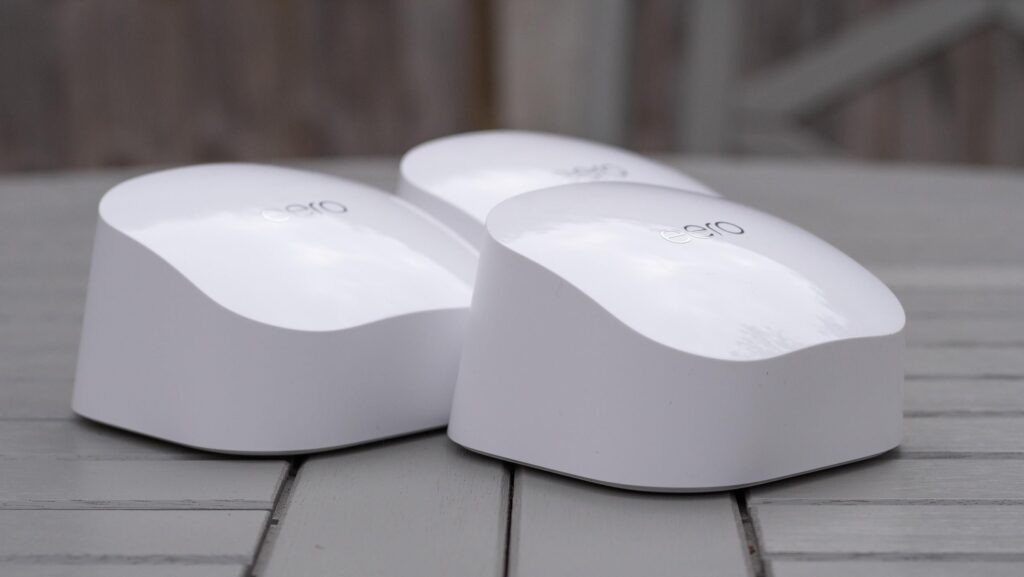
Key Features:
- 💸 ~£109.99 on Amazon/Argos
- Wi‑Fi 6 mesh node, whole-home coverage
- Managed via intuitive app
Why it’s worth buying:
Smooth, plug-and-play Wi‑Fi for homes with multiple floors or thick walls.
Best For:
Multi-device households, large homes
Pros:
✔ Single SSID, seamless coverage
✔ Handles many devices simultaneously
✔ Easy app-driven setup
Cons:
✘ More expensive than basic extenders
✘ No wired Ethernet on some models
Tried any of our recommended Wi-Fi extenders? Let others know what you think on Trustpilot.
📌 What to Consider Before Buying a Wi-Fi Extender
When choosing one of the best budget Wi-Fi extenders UK, think about:
📶 Coverage Range
Look at how much square footage the extender can support. Bigger homes need broader range.
📡 Frequency Bands
Dual-band (2.4 GHz + 5 GHz) is ideal for mixed use — streaming on 5 GHz and browsing on 2.4 GHz.
📱 Compatibility
Ensure it supports your router’s standard — 802.11ac is the most common now.
🔁 Ease of Setup
Some pop-up as soon as you plug them in; others need an app.
🚀 Throughput Speed
Even on a budget, choose a device with decent max speeds (e.g., AC1200+).
🔌 Ethernet Port
Some extenders include a Gigabit Ethernet port — useful if you want a wired device connection out of the extender.
📍 Design
Small plug‑in units are very convenient; bigger, plug‑and‑play extenders might have better performance but take up more space.
If you live in a shared house, network congestion can make drops worse. Read Shared House Wi-Fi Problems in the UK – Tips & Solutions.
🛠 Setup Tips for Best Performance
Whether it’s your first extender or you’re upgrading one you’ve had for years:
📍 Where to Place It
- Halfway between your router and the dead spot
- Avoid thick walls or metal cabinets if possible
🔄 Use the Same Network SSID
Many extenders let you use the same Wi‑Fi name as your router — that helps devices stay connected without switching networks.
🔌 Keep Firmware Updated
Check manufacturer apps or web interfaces for firmware updates — these can improve stability and speed.
🧠 Tips for Maximum Value
✔ Try to place your extender midway between your router and dead zone for best results.
✔ Use dual-band extenders (2.4 GHz + 5 GHz) if you stream video or game.
✔ Wi-Fi extenders aren’t a speed booster, they improve coverage — if you need more speed, consider a mesh system later.
🔗 Where to Buy
- TP‑Link RE300 AC1200 Wi-Fi Extender – Check price on Amazon UK
- Netgear EX3110 AC750 Wi-Fi Extender – Check price on Amazon UK
- TP‑Link RE550 AC1900 Wi-Fi Extender – Check price on Amazon UK
- D‑Link AX1500 Mesh Range Extender – Check price on Amazon UK
- Linksys Velop Micro Mesh WiFi 6 Add‑on Node – Check price on Amazon UK
- ASUS RP‑AX58 WiFi Range Extender – Check price on Amazon UK
- eero 6 Mesh Wi‑Fi Extender – Check price on Amazon UK
📦 Final Thoughts
Picking one of the best budget Wi-Fi extenders UK can make a huge difference in your everyday online experience — from video calls and streaming to working from home and gaming.
Budget Wi‑Fi extenders are a great, affordable way to boost Wi‑Fi where it struggles — particularly in flats, small houses, or gardens. While they won’t match whole‑home mesh systems for seamless coverage, modern budget models with AC1200 or Wi‑Fi 6 performance provide excellent value for most everyday users.
If you need whole‑home coverage across several storeys, or you have dozens of connected devices, consider a mesh‑ready extender (like the RE315/RE505X above) or a full mesh Wi‑Fi mesh kit instead.
For tips on optimising your router, see Strong Wi-Fi Signal but Internet Is Slow.
Enjoyed our Wi-Fi guides? Share your experience on Trustpilot — we’d love to hear from you!
Pingback: 7 Best Budget Wi-Fi Routers UK – Affordable Routers for Home & Office
Pingback: 1 Wi-Fi Works in One Room Only? Causes & Easy Fixes in UK Homes
Pingback: Full Wi-Fi Bars but No Internet? 7 Proven Fixes That Work
Pingback: Thick Walls Blocking Wi-Fi Signal? 11 Proven Ways to Improve
Pingback: Shared House Wi-Fi Problems UK: 8 Practical Tips & Solutions
Pingback: 5 Reasons Strong Wi-Fi Signal but Internet Is Slow
Pingback: TV & Streaming Problems in UK Homes: 7 Proven Fixes
Pingback: Smart TV Not Connecting to WiFi UK: 9 Powerful Fixes