
Netflix Keeps Buffering on Smart TV UK? Causes & Solutions That Actually Work
There’s nothing more frustrating than settling down in the evening, tea in hand, ready to watch your favourite series… and then it happens.
The spinning circle.
If Netflix keeps buffering on smart TV UK, you’re not alone. It’s one of the most common streaming problems in UK homes — especially during evenings when everyone is online.
The good news? Most buffering issues are completely fixable without upgrading your broadband.
Let’s break it down properly.

Why Netflix Keeps Buffering on Smart TV UK
Buffering happens when your TV cannot download video data fast enough to keep playback smooth.
Common causes include:
- Weak WiFi signal
- Router placement issues
- Too many devices connected
- Evening broadband congestion
- Outdated router hardware
- Smart TV software problems
- ISP network slowdowns
Sometimes it’s one issue. Often, it’s a combination of two or three.
If you’re experiencing other streaming issues as well, we explain everything in detail in our complete guide:
👉 TV & Streaming Problems in UK Homes: Causes, Fixes & Budget Solutions
Causes & Fixes
1️⃣ Weak WiFi Signal (The Most Common Cause)
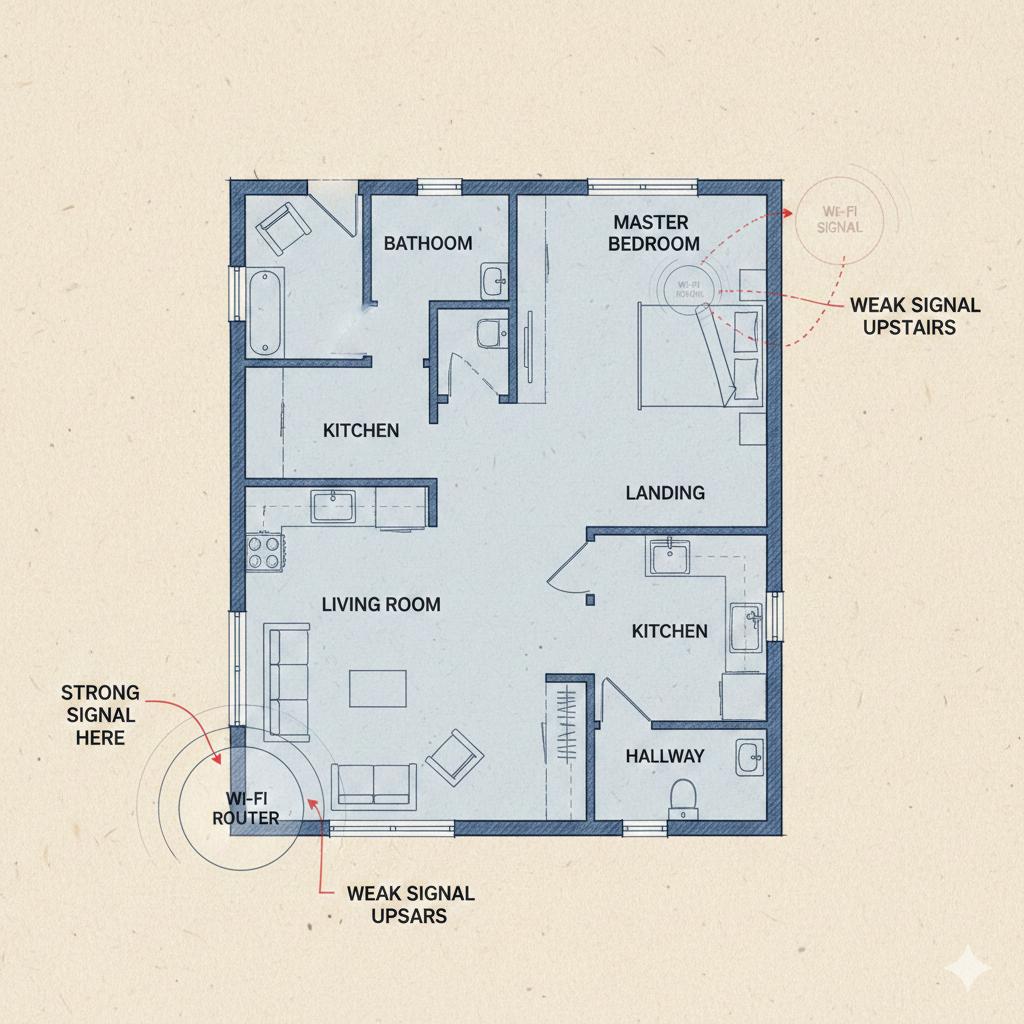
In many UK houses — especially brick-built homes — WiFi struggles to travel upstairs or through thick walls.
If your router is downstairs near the front door (very common with Openreach installations), your living room or bedroom TV might be getting a weak signal.
How to test it:
- Run a speed test near your TV using your phone.
- Compare it with speed near the router.
If there’s a big drop, signal strength is the problem.
How to fix it:
- Move your router to a central location.
- Keep it off the floor.
- Avoid placing it behind the TV.
- Consider a WiFi extender or mesh system.
2️⃣ Evening Congestion (Peak-Time Slowdowns)
If Netflix buffers mainly between 7PM–10PM, that’s peak time.
In many UK areas, broadband networks become congested during evenings when:
- Kids are gaming
- Parents are streaming
- People are working remotely
Even if your package says 100Mbps, actual performance can dip.
You can check your speed using:
👉 https://www.speedtest.net/
If speeds drop significantly at night, congestion is likely the cause.
3️⃣ Too Many Devices Connected
Modern homes easily have:
- 2–3 smartphones
- Laptops
- Tablets
- Smart speakers
- CCTV cameras
- Gaming consoles
All pulling bandwidth.
Netflix requires:
- 5 Mbps for HD
- 25 Mbps for 4K
If multiple people are streaming 4K, your router may struggle.
Quick fix:
- Pause large downloads.
- Lower Netflix streaming quality (Settings → Playback).
- Restart router.
4️⃣ Router Hardware Is Outdated
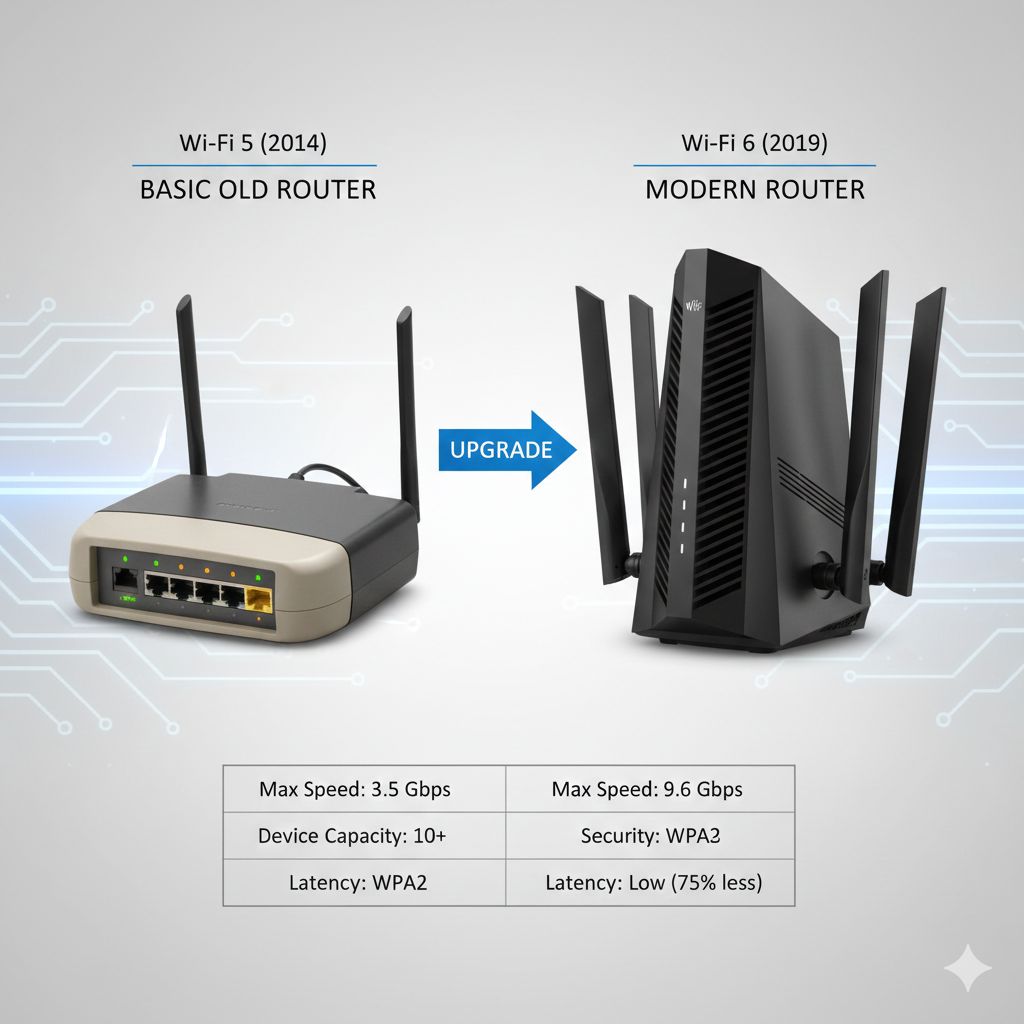
If your router is 4–5 years old, it might not handle modern streaming demands.
Older routers:
- Struggle with multiple devices
- Have weaker antennas
- Don’t manage traffic efficiently
This is very common with basic ISP-provided routers.
Upgrading to a better router often makes a dramatic difference.
5️⃣ Smart TV Software Issues
Sometimes the problem isn’t your WiFi.
It’s the TV itself.
Smart TVs:
- Cache data
- Run background updates
- Slow down over time
Fix:
- Restart the TV completely (unplug for 60 seconds).
- Update TV firmware.
- Reinstall Netflix app.
You’d be surprised how often this works.
6️⃣ Netflix Server or App Issues
Occasionally, Netflix itself has issues.
You can check service status here:
👉 https://help.netflix.com/en/is-netflix-down
If Netflix is down in your area, there’s nothing wrong with your setup.
Just wait it out.
7️⃣ ISP-Specific Issues (BT, Sky, Virgin Media)
Sometimes buffering happens due to provider-level issues.
If you’re using:
Check their support pages for outages or maintenance in your postcode.
If multiple devices buffer, contact your ISP.
8️⃣ WiFi Band Problems (2.4GHz vs 5GHz)
Most modern routers have two bands:
- 2.4GHz → longer range, slower speed
- 5GHz → faster speed, shorter range
If your TV is far from the router, 5GHz may drop out.
Try switching bands in router settings.
9️⃣ Ethernet Cable – The Ultimate Fix
If possible, connect your TV directly to the router using an Ethernet cable.
A wired connection:
- Eliminates signal interference
- Is more stable
- Stops most buffering instantly
Not always practical — but very effective.

Real UK Example
Let’s say:
You live in a typical 3-bedroom semi-detached house in Manchester.
Router is downstairs in hallway.
TV is upstairs in bedroom.
Evening streaming buffers constantly.
Speed test downstairs: 75 Mbps
Speed test upstairs: 12 Mbps
Problem = signal loss.
Solution:
- Install WiFi extender on landing.
- Or upgrade to mesh system.
Buffering solved without upgrading broadband.
If you’re struggling with dead zones in certain rooms, our detailed WiFi coverage guide explains this further:
👉 How to Fix Weak WiFi Signal in UK Homes
Signs It’s Time to Upgrade Equipment (Not Broadband)
You should consider upgrading router or equipment if:
- Router is older than 5 years
- WiFi drops in multiple rooms
- You have more than 15 connected devices
- Speed near router is good, but poor elsewhere
Before upgrading, you might also want to review:
👉 Best Budget Smart Home Devices UK
Smart devices can overload weaker routers quickly.
Temporary Fixes vs Long-Term Fixes
Restarting the router is a temporary fix.
Moving the router is a medium-term fix.
Upgrading to a better router or mesh system is a long-term fix.
If Netflix keeps buffering on smart TV UK regularly, and you’ve tested everything properly, investing in stable equipment usually saves frustration long term.
When It’s NOT Your WiFi
Sometimes Netflix keeps buffering on smart TV UK even when speed looks fine.
Possible hidden causes:
- ISP throttling during peak times
- Faulty Ethernet cable
- Background updates on TV
- VPN interference (if using one)
Rule of thumb:
If buffering happens on all devices → broadband issue.
If only TV buffers → TV or WiFi signal issue.
Check Netflix status here:
https://help.netflix.com/en/is-netflix-down
Quick Action Plan
If Netflix keeps buffering on smart TV UK, do this in order:
- Restart router.
- Restart TV.
- Run speed test near TV.
- Move router centrally.
- Reduce connected devices.
- Lower streaming quality.
- Try Ethernet cable.
- Check ISP status.
- Upgrade router if needed.
Work step by step.
Don’t jump straight to upgrading broadband.
Frequently Asked Questions
Why does Netflix buffer but YouTube doesn’t?
Netflix streams in higher quality by default. It requires more stable bandwidth than YouTube.
Is 4K causing the buffering?
Yes, very likely. 4K needs around 25 Mbps consistently. If your signal fluctuates, buffering starts.
Try switching to HD.
Should I upgrade my broadband package?
Only if speed tests show low speeds consistently across the house. If speed is good near router but weak near TV, upgrading won’t help.
How long should a router last?
Typically 3–5 years before performance drops compared to newer models.
Will switching to fibre fix Netflix buffering?
If your current connection is unstable or slow, yes. If signal strength inside your home is weak, fibre alone won’t fix it.
Does Virgin Media broadband cause buffering?
Not specifically. Buffering depends on speed stability and signal quality, not brand alone.
Final Thoughts
If Netflix keeps buffering on smart TV UK, it’s rarely a mystery. In most homes, it comes down to:
- Signal strength
- Router age
- Evening congestion
- Too many connected devices
The good news?
Most fixes are simple and cost nothing. Before spending money, test properly.
And if you’ve already tried everything and buffering still happens, upgrading your router is usually smarter than upgrading broadband.
Enjoyed our TV & Streaming Problems guides? Share your experience on Trustpilot — we’d love to hear from you!
Pingback: HDMI ARC Not Working on Smart TV UK: 3 Proven fixes
Pingback: Fire Stick vs Chromecast vs Roku UK – 2026 Ultimate Guide