
Thick Walls Blocking Wi-Fi Signal – How to Improve Coverage in UK Homes
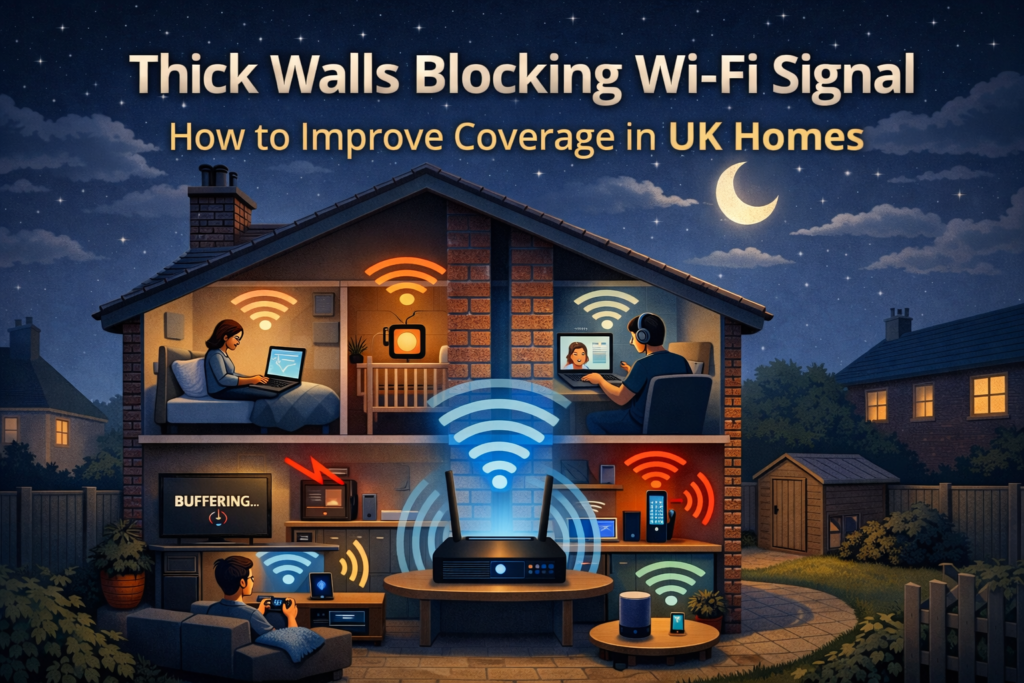
If your Wi-Fi works perfectly in the living room but becomes painfully slow upstairs or in the bedroom, you’re not alone. In the UK, thick walls blocking Wi-Fi signal is one of the most common and frustrating home internet problems.
This issue affects:
- Victorian and Edwardian brick houses
- 1930s–1970s solid-wall properties
- Modern new builds with insulation and foil barriers
- Flats with concrete floors and shared walls
You can have fast fibre broadband and a modern router and still struggle with:
- Buffering videos
- Dropped video calls
- Weak Wi-Fi in bedrooms
- Slow speeds behind walls
The problem usually isn’t your internet provider. It’s how Wi-Fi behaves in British homes. If your Wi-Fi works in one room only, walls may be the culprit. See Wi-Fi Works in One Room Only – Causes & Fixes.
This guide explains why thick walls block Wi-Fi, why UK houses are especially affected, and exactly how to improve coverage without wasting money.
Why Thick Walls Block Wi-Fi Signal in the UK
Wi-Fi works using radio waves. When those waves pass through solid objects, part of the signal is absorbed, scattered, or reflected. The denser the material, the worse the signal loss.
Common UK Building Materials That Kill Wi-Fi
- Solid brick walls
- Stone walls (older homes)
- Concrete block walls
- Reinforced concrete floors
- Insulated cavity walls
- Foil-backed plasterboard
Many UK homes contain multiple layers of dense material, which is why thick walls blocking Wi-Fi signal is such a widespread problem here.
According to Ofcom’s broadband guidance, Wi-Fi speed and reliability inside the home are heavily affected by distance, obstacles, and building materials.

Why New Builds Often Have Worse Wi-Fi Than Older Homes
It sounds counter-intuitive, but many new builds block Wi-Fi more aggressively than older houses.
Modern homes use:
- Foil-backed insulation
- Energy-efficient wall materials
- Metal wall studs
- Thermal barriers
These are excellent for keeping heat in — and terrible for letting Wi-Fi signals pass through.
So if you live in a new build and notice that Wi-Fi barely reaches upstairs bedrooms, it’s not a fault. It’s how modern houses are constructed.
Why Wi-Fi Drops Suddenly After One Wall
Wi-Fi doesn’t fade smoothly. Often, it drops sharply.
A typical example:
- Same room as router → 150–300 Mbps
- One brick wall away → 30–50 Mbps
- Two walls away → unstable or unusable
This sudden drop makes Wi-Fi feel random, but it’s actually thick walls blocking Wi-Fi signal, not inconsistent internet.
2.4GHz vs 5GHz When Thick Walls Are the Problem
Understanding Wi-Fi frequencies is critical.
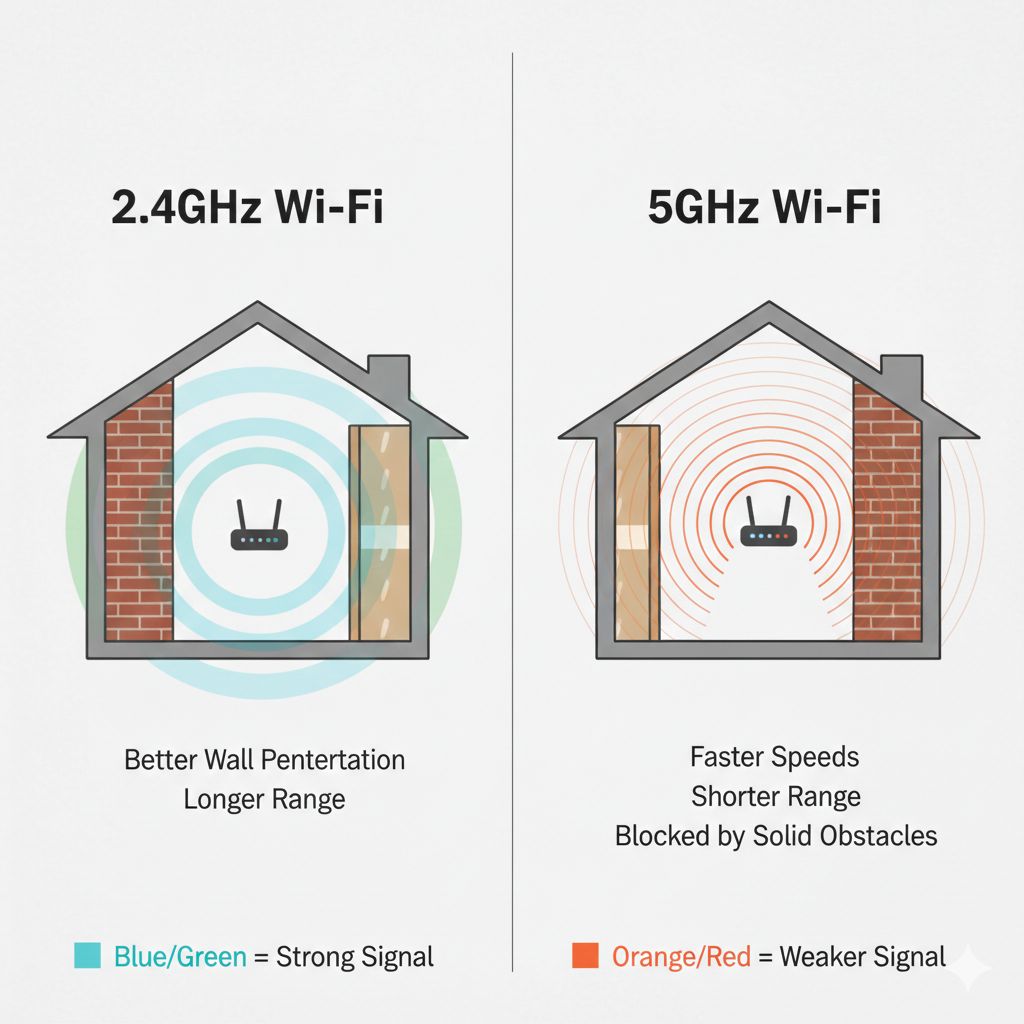
2.4GHz Wi-Fi
- Longer range
- Better wall penetration
- Slower speeds
- More interference
5GHz Wi-Fi
- Faster speeds
- Shorter range
- Poor wall penetration
- More sensitive to obstacles
Technical standards published by IEEE explain why higher-frequency signals (like 5GHz) lose strength more quickly when passing through solid materials.
5GHz struggles through walls more than 2.4GHz. Learn why in 5GHz Wi-Fi Worse Than 2.4GHz – Real Reasons Explained.
Practical takeaway
If thick walls are blocking Wi-Fi signal, 2.4GHz will usually outperform 5GHz behind walls, even if it’s slower on paper.
11 Proven Ways to Improve Wi-Fi Coverage Through Thick Walls
Move the Router Away From External Walls
Most UK routers are installed near the front door or external wall. This forces Wi-Fi to pass through multiple thick walls.
Better approach:
- Move router towards the centre of the house
- Reduce the number of walls the signal must cross
Even a small relocation can dramatically improve coverage.
Raise the Router Height
Wi-Fi spreads sideways more effectively than upward.
Avoid placing routers:
- On the floor
- Under desks
- Inside cupboards
Ideal placement is chest or shelf height, in the open.
Use 2.4GHz for Rooms Behind Thick Walls
If thick walls are blocking Wi-Fi signal:
- Use 5GHz near the router
- Use 2.4GHz in bedrooms, upstairs rooms, and rear rooms
Separating Wi-Fi network names (SSIDs) makes this easy to control.
Keep Routers Out of Kitchens
Kitchens contain:
- Microwaves
- Fridges
- Metal appliances
- Tiled walls
All of these interfere with Wi-Fi. If your router is in the kitchen, thick walls blocking Wi-Fi signal becomes much worse.
Don’t Hide the Router for Aesthetics
Many people hide routers behind TVs or inside cupboards.
This sacrifices performance for appearance. If Wi-Fi matters, the router needs space.
Place Extenders Correctly (If You Use Them)
Cheap Wi-Fi boosters often disappoint because they’re placed incorrectly.
Correct placement:
- Halfway between router and dead zone
- Still within strong signal range
Check our Wi-Fi Router guide for recommended models in UK homes. Use a Wi-Fi Extender to boost coverage in larger flats or multi-storey homes.
Mesh Wi-Fi Is the Best Solution for Thick Walls
Mesh systems use multiple access points to create overlapping coverage.
Instead of forcing Wi-Fi through thick walls, mesh systems:
- Shorten signal distances
- Improve stability
- Eliminate dead zones
Google explains how mesh Wi-Fi improves coverage by distributing signal evenly across the home.

Use Wired Backhaul Where Possible
If you can run Ethernet cables (even discreetly):
- Mesh nodes become far more effective
- Speeds remain consistent
- Signal loss between nodes is eliminated
This is ideal for larger UK homes.
Reduce Internal Interference
Thick walls aren’t the only enemy.
Interference comes from:
- Baby monitors
- Cordless phones
- Smart devices
- Neighbouring networks
Reducing interference helps your signal push through walls more effectively.
Update Router Firmware
Firmware updates often:
- Improve signal stability
- Fix performance bugs
- Enhance device compatibility
This is a simple but often overlooked step.
Accept the Limits of a Single Router
This is the hardest truth.
In many UK homes, one router cannot provide perfect Wi-Fi through thick walls. Designing around this reality saves frustration and money.
Common Mistakes UK Homeowners Make
- Blaming the broadband provider
- Buying faster broadband instead of better Wi-Fi
- Using cheap extenders incorrectly
- Assuming new builds have better Wi-Fi design
- Hiding routers for appearance
Most Wi-Fi issues are home layout problems, not speed problems.
FAQ – Thick Walls Blocking Wi-Fi Signal
Why do thick walls block Wi-Fi so much?
Because dense materials like brick, stone, and concrete absorb and reflect radio waves, weakening the signal.
Are UK homes worse for Wi-Fi than other countries?
Yes. Brick construction, solid walls, and insulation materials make Wi-Fi more challenging than in timber-frame homes.
Is 2.4GHz better than 5GHz for thick walls?
In most cases, yes. 2.4GHz travels further and penetrates walls better.
Will a faster broadband package fix this?
No. Faster broadband does not improve Wi-Fi coverage inside the home.
Do Wi-Fi boosters work through brick walls?
Only if placed correctly. Mesh systems are usually more effective.
What is the best long-term solution?
A centrally placed router combined with a mesh Wi-Fi system.
Final Thoughts
If thick walls are blocking Wi-Fi signal in your home, you’re facing a very normal UK housing issue — not faulty broadband or bad equipment.
Once you understand how Wi-Fi interacts with brick walls and modern insulation, the solutions become clear and achievable.
Good Wi-Fi isn’t about speed alone — it’s about designing coverage around your home.
Enjoyed our Wi-Fi guides? Share your experience on Trustpilot — we’d love to hear from you!
Pingback: 1 Wi-Fi Works in One Room Only? Causes & Easy Fixes in UK Homes
Pingback: 5GHz Wi-Fi Worse Than 2.4GHz? Practical Reasons Explained